Introduction:
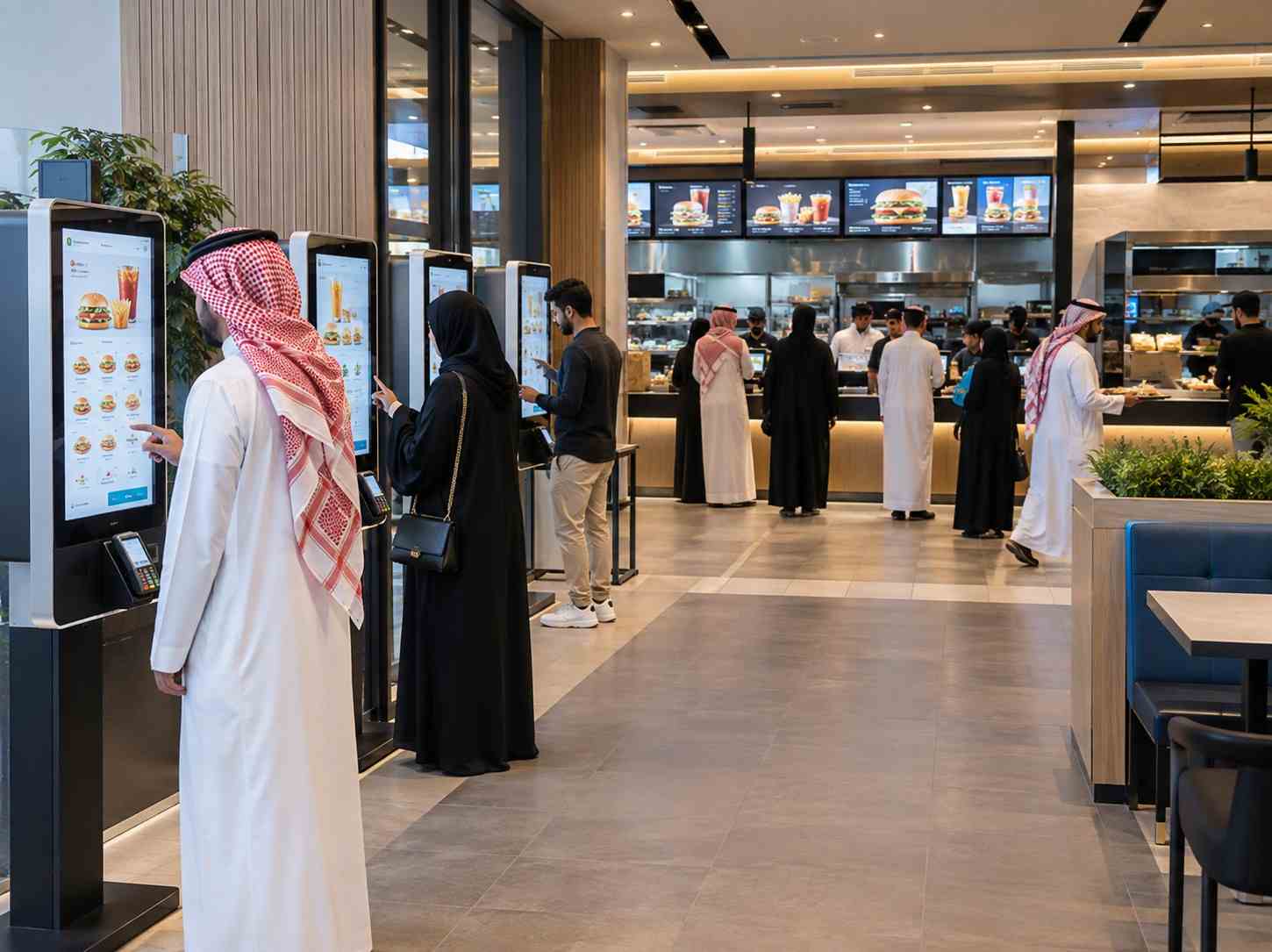
High-volume restaurants, quick-service restaurants (QSRs), food courts, cafés, and fast-casual outlets constantly look for ways to serve more customers without creating long queues or putting excessive pressure on front-counter staff. Self-ordering kiosks for restaurants provide a practical way to add another ordering channel while giving customers greater control over their ordering experience.
A self-ordering kiosk allows customers to browse the menu, customize items, review their order, and complete payment through a touchscreen interface. When properly integrated with the restaurant’s POS and kitchen workflow, the order can move digitally through the operation without requiring staff to manually re-enter it.
For high-volume restaurants, the objective is not simply to replace a cashier. The larger opportunity is to increase ordering capacity during peak periods, improve order accuracy, simplify menu upselling, and create a more consistent customer experience.
What Is a Self-Ordering Kiosk?
A self-ordering kiosk is a touchscreen-based ordering system that enables customers to place restaurant orders independently.
A typical restaurant kiosk allows customers to:
- Browse digital menus and categories
- View food images and product information
- Customize meals and add modifiers
- Select combos, sides, beverages, and add-ons
- Review their cart before checkout
- Choose available payment methods
- Receive an order confirmation or receipt
For a high-volume restaurant, the kiosk becomes an additional ordering lane. Instead of every customer depending on a single counter, customers can use kiosks while staff focus on food preparation, customer assistance, order fulfillment, and other operational activities.
The real value comes from connecting the kiosk with the restaurant’s existing POS, payment system, kitchen display system (KDS), inventory, and reporting workflows rather than operating it as an isolated touchscreen.
Why High-Volume Restaurants Need Self-Ordering Kiosks
During breakfast, lunch, dinner, weekends, and promotional periods, restaurants can experience sudden increases in customer traffic. A traditional counter-only model can create a bottleneck because ordering capacity depends heavily on the number of available cashiers.
Self-ordering kiosks create additional ordering points.
Customers who are comfortable ordering independently can start their transactions immediately, while customers who require assistance can continue using the traditional counter.
This parallel ordering model can help restaurants manage peak periods more efficiently. However, operators should remember that kiosks primarily address the ordering bottleneck. If the kitchen or food pickup area is already the main constraint, adding kiosks alone will not solve the underlying capacity problem.
Key Benefits of Self-Ordering Kiosks for Restaurants
1. Reduce Ordering Queues
Long queues can create frustration and may discourage customers from completing an order.
With multiple self-ordering kiosks, several customers can browse menus and place orders simultaneously. This can reduce dependence on a single cashier station and create additional capacity during busy periods.
For QSRs and high-volume restaurants, this can be particularly useful during predictable peak hours.
2. Improve Order Accuracy
Manual ordering can sometimes result in misunderstandings, especially when customers customize meals or request multiple modifications.
A kiosk allows customers to select their own items and review the complete order before submitting it. Structured digital orders can then be transferred to the POS and kitchen workflow without requiring staff to manually interpret or re-enter every item.
This can help reduce errors involving:
- Item selection
- Quantity
- Meal customization
- Add-ons
- Side dishes
- Beverage choices
- Special modifiers
Industry guidance consistently identifies order accuracy as one of the important operational benefits of self-service ordering.
3. Create Consistent Upselling Opportunities
A busy cashier may not have enough time to recommend every available add-on.
A self-ordering kiosk can consistently present relevant options during the ordering journey.
For example:
Burger → Upgrade to Combo → Add Fries → Add Beverage → Add Dessert
Restaurants can use product images, recommended combinations, and configurable prompts to encourage customers to explore additional menu items.
The objective should be relevant recommendations rather than excessive pop-ups. A well-designed ordering journey keeps the process simple while making useful add-ons visible.
4. Give Customers More Control
Customers can take their time reviewing the menu, comparing options, and customizing their order.
This can be especially useful for restaurants with:
- Large menus
- Multiple meal combinations
- Customizable products
- Dietary preferences
- Multiple sizes
- Numerous add-ons
Instead of explaining every option verbally, the digital interface can guide customers through the available choices.
5. Support Faster Restaurant Operations
A kiosk can help divide front-of-house responsibilities.
Instead of having every employee focused on taking orders, staff can spend more time on:
- Customer assistance
- Food preparation
- Order handover
- Dining-area support
- Pickup management
- Operational tasks
The result is a more distributed ordering process where technology handles routine order capture while employees remain available for tasks that require human interaction.
What Features Should a Restaurant Self-Ordering Kiosk Have?
Choosing the right kiosk involves more than selecting a touchscreen. Restaurant operators should evaluate the complete ordering ecosystem.
Touchscreen Interface
The interface should be responsive, easy to understand, and suitable for frequent use. Menu categories, product information, modifiers, and checkout should follow a simple customer journey.
Digital Menu Management
Restaurant teams should be able to update:
- Prices
- Products
- Images
- Combos
- Promotions
- Availability
- Categories
- Add-ons
A centralized menu system becomes especially important for restaurant groups operating multiple locations.
POS Integration
POS integration is one of the most important considerations when implementing self-ordering kiosks.
The kiosk should work with the restaurant’s existing technology wherever possible so that orders, pricing, and operational information remain synchronized.
Without proper integration, staff may have to manually enter kiosk orders into another system, reducing many of the efficiency benefits.
Payment Integration
Depending on the market and deployment, kiosks can support options such as card payments, contactless payments, QR-based payments, or other supported digital payment methods.
The payment experience should be simple, reliable, and securely integrated into the ordering workflow.
Kitchen Display System Integration
After payment and order confirmation, the order should reach the appropriate kitchen workflow.
Integration with a Kitchen Display System (KDS) can help kitchen teams receive structured orders and modifiers clearly, supporting smoother preparation and fulfillment.
Multi-Location Management
For restaurant chains, centralized management can make it easier to maintain consistent menus, promotions, pricing, and kiosk configurations across multiple branches.
This becomes increasingly valuable as a restaurant expands into multiple cities or markets.
How FAMA Technologies Can Help Restaurants Implement Self-Ordering Kiosks
For restaurants looking to modernize their ordering experience, FAMA Technologies provides self-ordering kiosk solutions designed around restaurant operational requirements.
FAMA can help businesses evaluate the complete kiosk environment, including the customer-facing ordering interface, hardware, payment workflow, POS connectivity, and restaurant operations.
Instead of treating the kiosk as a standalone device, the focus should be on creating an integrated self-ordering ecosystem that works with the restaurant’s existing processes.
This can make self-ordering kiosks suitable for QSRs, high-volume restaurants, food courts, cafés, and other businesses where ordering speed and operational efficiency are important.
Self-Ordering Kiosks for Different Restaurant Formats
QSRs
Quick-service restaurants can use kiosks to create additional ordering capacity during busy periods while supporting faster menu navigation and customization.
Food Courts
Food courts often experience concentrated traffic during lunch and dinner. Multiple kiosks can provide additional ordering points without requiring every customer to join the same counter queue.
Fast-Casual Restaurants
Fast-casual restaurants with customizable meals can benefit from guided digital ordering, particularly where customers need to select multiple ingredients, sides, sauces, or modifications.
Cafés and Bakeries
Kiosks can simplify ordering for menus containing beverages, bakery products, combos, and frequently repeated orders.
How to Choose the Right Self-Ordering Kiosk
Before investing in a restaurant kiosk system, consider these factors:
1. Customer volume: Identify your peak-hour order volume and queue patterns.
2. Menu complexity: Determine how many products, modifiers, combinations, and customizations customers need.
3. POS compatibility: Confirm that the kiosk can integrate with your existing POS environment.
4. Payment requirements: Select payment methods based on your customers and operating market.
5. Kitchen capacity: Make sure your kitchen can handle additional ordering capacity.
6. Physical placement: Kiosks should be positioned where customers can easily see, access, and use them without obstructing restaurant movement.
7. Accessibility: Consider screen height, interface usability, physical access, and alternative ordering support.
8. Support and maintenance: High-volume restaurants need dependable hardware, software updates, monitoring, and technical support.
Best Practices for Deploying Restaurant Self-Ordering Kiosks
A successful deployment should start with the restaurant’s operational requirements rather than the hardware alone.
Begin by identifying where customers currently experience delays. Review peak-hour queues, average transaction times, menu complexity, order errors, and kitchen capacity.
Then configure the kiosk interface around the actual customer journey.
Before going live, test common and unusual scenarios, including customized orders, unavailable products, payment failures, cart changes, refunds, and connectivity interruptions. Testing these workflows before deployment helps identify problems that could otherwise affect customers during busy periods.
It is also useful to keep staff available to assist customers during the initial rollout. A kiosk should complement the restaurant team rather than create a barrier for customers who prefer human assistance.
The Future of Restaurant Ordering
Self-ordering kiosks are becoming an important part of the broader digital restaurant ecosystem. However, their success depends on more than installing screens.
The strongest deployments connect ordering, payments, POS, kitchen operations, menu management, and reporting into a coordinated workflow.
For high-volume restaurants, the goal is straightforward: create additional ordering capacity, simplify the customer journey, improve order accuracy, and help restaurant teams operate more efficiently.
With the right planning and integration, a self-ordering kiosk for restaurants can become an important part of a modern QSR or fast-casual technology strategy.
If your restaurant is handling increasing customer volumes, FAMA Technologies can help you explore a self-ordering kiosk solution aligned with your menu, POS environment, payment requirements, and operational workflow.