Introduction
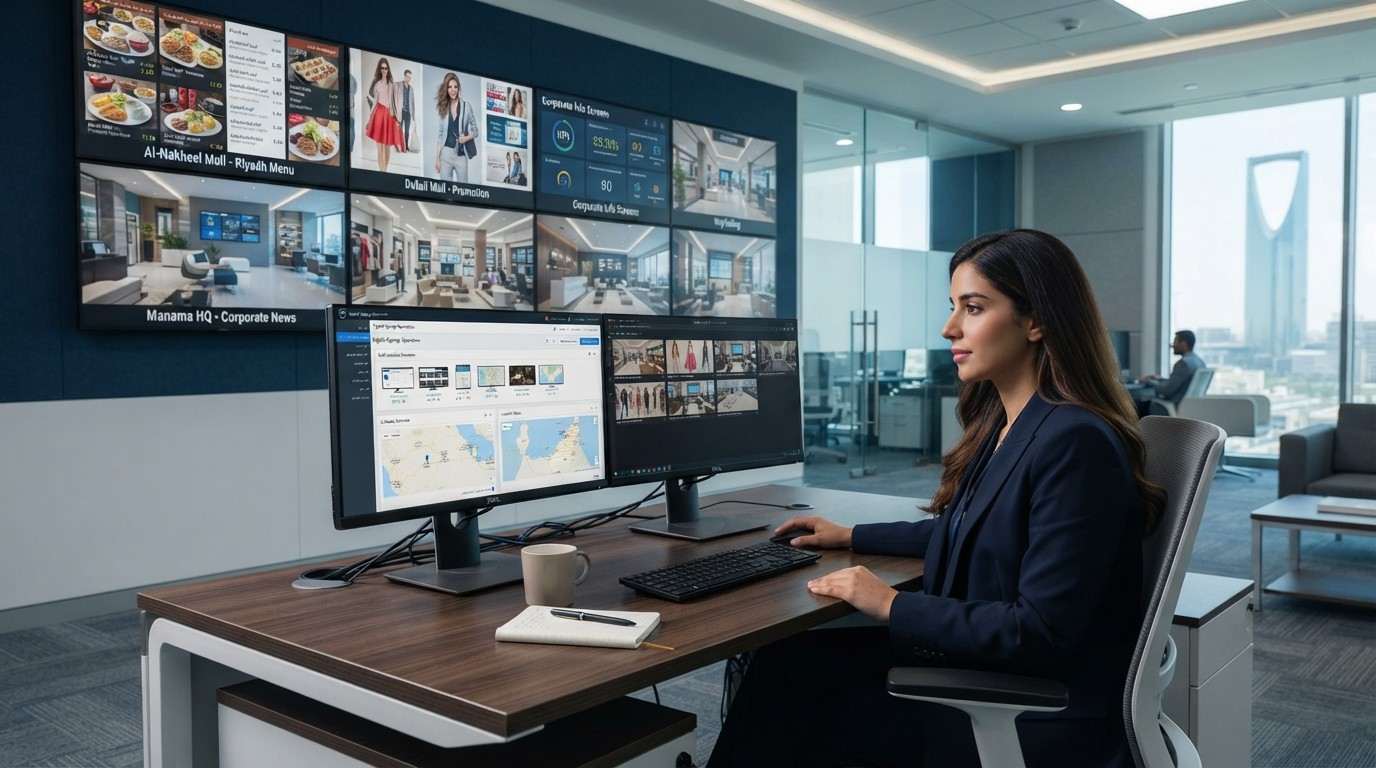
Managing digital screens across a single location can be relatively simple. But when a business operates multiple stores, branches, restaurants, offices, or facilities, managing digital signage becomes significantly more complex. Teams may need to update hundreds of screens, publish location-specific content, maintain brand consistency, schedule campaigns, and monitor screen performance across different locations.
This is where a multi-location digital signage CMS becomes valuable.
Instead of updating every screen individually, businesses can use a centralized digital signage CMS to control content, schedules, playlists, and connected displays from one platform. This makes it easier to manage digital signage across multiple locations while reducing repetitive manual work.
For businesses operating across Saudi Arabia, the GCC, or multiple countries, centralized digital signage management can also provide greater control over how content is published and maintained across the entire network.
Managing digital screens across a single location can be relatively simple. But when a business operates multiple stores, branches, restaurants, offices, or facilities, managing digital signage becomes significantly more complex. Teams may need to update hundreds of screens, publish location-specific content, maintain brand consistency, schedule campaigns, and monitor screen performance across different locations.
This is where a multi-location digital signage CMS becomes valuable.
Instead of updating every screen individually, businesses can use a centralized digital signage CMS to control content, schedules, playlists, and connected displays from one platform. This makes it easier to manage digital signage across multiple locations while reducing repetitive manual work.
For businesses operating across Saudi Arabia, the GCC, or multiple countries, centralized digital signage management can also provide greater control over how content is published and maintained across the entire network.
What Is Multi-Location Digital Signage?
Multi-location digital signage refers to a network of digital displays deployed across different physical locations and managed through a centralized system.
For example, a retail chain may have digital screens across 50 stores. A QSR brand may operate menu boards across restaurants in Riyadh, Jeddah, Dammam, and other cities. Instead of managing every screen separately, the organization can connect its displays to a centralized CMS.
From one dashboard, authorized users can typically:
- Upload and organize digital signage content
- Create playlists for different screens
- Schedule content in advance
- Assign content to specific locations
- Update multiple screens simultaneously
- Publish location-specific messages
- Monitor connected devices
- Manage different screen groups
- Make remote content updates
This centralized approach is particularly useful for organizations with a large and geographically distributed screen network.
Why Businesses Need a Centralized Digital Signage CMS
As the number of locations increases, manually managing screens becomes increasingly inefficient.
Imagine a business with 100 stores and several screens in each location. A simple promotional campaign could require hundreds of individual updates if every display is managed separately.
A centralized digital signage CMS changes this workflow.
Instead of visiting each location or updating individual devices, the marketing or operations team can publish content from a central platform. The selected content can then be distributed to the appropriate screens according to predefined rules and schedules.
For organizations managing multiple branches, this can help reduce manual intervention and make digital signage content management more organized.
How to Manage Digital Signage Across Multiple Locations
1. Connect All Screens to a Central CMS
The first step is to bring the organization’s digital displays under a centralized management platform.
Each compatible screen or media player connects to the CMS and becomes part of the organization’s digital signage network.
Once connected, administrators can organize screens according to their business structure—for example:
Country → City → Branch → Screen Group → Individual Screen
This makes it easier to manage a growing network without treating every screen as a separate installation.
2. Organize Screens into Location-Based Groups
A good digital signage CMS should allow administrators to create logical screen groups.
For example, a retail organization could create groups such as:
- Saudi Arabia – Riyadh, Jeddah, Dammam
- UAE – Dubai, Abu Dhabi
- Egypt – Cairo, Alexandria
Within each city, screens can be further organized by store or department.
This structure allows businesses to publish content at the right level. A campaign can be distributed to every location, a country, a city, a specific branch, or a particular screen group.
3. Maintain Centralized Brand Consistency
One of the biggest challenges of multi-location digital signage is maintaining consistent branding.
Different branches may otherwise use outdated promotional graphics, incorrect pricing, old logos, or inconsistent messaging.
With centralized digital signage management, headquarters can create approved content and distribute it across selected locations.
This helps businesses maintain consistent:
- Brand messaging
- Visual identity
- Promotional campaigns
- Product communication
- Corporate announcements
- Customer-facing information
Local teams can still receive location-specific content where required, while central teams retain greater control over core brand communication.
4. Schedule Content for Different Locations
Not every location needs to display the same content at the same time.
A centralized CMS can support digital signage content scheduling, allowing businesses to plan content around different locations, campaigns, dates, and times.
For example, a restaurant chain could schedule:
Morning: Breakfast promotions
Afternoon: Lunch offers
Evening: Dinner promotions
A retail business could schedule weekend campaigns differently from weekday promotions.
Businesses operating across countries can also create schedules based on local operating hours and regional requirements.
This reduces the need for staff to change content throughout the day manually.
5. Manage Location-Specific Content
Centralized management does not mean every screen has to show identical content.
A multi-location digital signage CMS can allow businesses to combine centralized and local content.
For example, a corporate retail campaign can be displayed across all stores, while a specific store can simultaneously display:
- Local offers
- Store-specific promotions
- Local events
- Regional announcements
- Location-specific products
This creates a flexible content management structure where central teams manage the overall strategy while individual locations can receive relevant content.
6. Update Screens Remotely
Remote digital signage management is especially useful when screens are distributed across different cities or countries.
Without remote management, technical or content-related changes may require staff to visit the physical location.
With a connected CMS, authorized teams can make content changes remotely.
This can be particularly useful when:
- A promotion needs to be changed quickly
- A campaign expires
- Incorrect content needs to be replaced
- Corporate messaging needs to be updated
- New content needs to be deployed across multiple locations
For businesses with geographically distributed operations, remote management can simplify day-to-day digital signage operations.
7. Monitor the Digital Signage Network
Content management is only one part of running a large signage network.
Businesses also need visibility into whether their screens and media players are operating properly.
A centralized platform can provide monitoring capabilities that help teams identify issues across the network.
Depending on the CMS and deployment, administrators may be able to monitor device status, connectivity, content playback, and other operational information.
This gives IT and operations teams a centralized view instead of requiring them to check screens individually.
8. Choose a CMS That Can Scale
A digital signage solution should not only support the current number of screens. It should also be capable of supporting future expansion.
A business may start with 10 screens and eventually expand to hundreds or thousands across multiple cities or countries.
When evaluating a digital signage CMS, businesses should consider features such as:
- Centralized content management
- Multi-location screen management
- User and permission controls
- Content scheduling
- Playlist management
- Remote updates
- Screen grouping
- Device monitoring
- Media library management
- Scalability
- Reporting and operational visibility
The right capabilities will depend on the organization’s deployment requirements and the complexity of its screen network.
How FAMA Technologies Supports Centralized Digital Signage Management
FAMA Technologies provides digital signage solutions designed to help businesses manage digital displays and content across different environments.
Through its Infinite Digital digital signage solutions, FAMA Technologies can support organizations looking to deploy and manage digital displays across multiple locations.
For businesses with distributed operations, a centralized approach can help bring content management, scheduling, and screen administration into a more structured workflow.
This can be particularly relevant for retail chains, restaurants, corporate environments, hospitality businesses, and other organizations operating multiple digital displays.
Centralized Digital Signage for Growing Businesses
As businesses expand into new cities, regions, and countries, digital signage management can become increasingly difficult without a centralized system.
A multi-location digital signage CMS provides a way to manage distributed screens from a central platform while still allowing businesses to deliver location-specific content when required.
The key is to build a structured digital signage network where screens are organized by location, content is centrally managed, campaigns are scheduled in advance, and teams can monitor the network remotely.
For organizations managing digital signage across Saudi Arabia, the GCC, or multiple international markets, this approach can make digital signage operations more scalable and manageable.
Ultimately, centralized digital signage management helps businesses move from managing individual screens to managing an organized digital signage network—giving marketing, IT, and operations teams greater control over their displays.