Introduction
A reliable business network setup is the foundation of a connected modern workplace. From accessing cloud applications and sharing files to conducting video meetings and communicating with customers, almost every business activity depends on reliable network connectivity.
As offices become more dependent on cloud services, connected devices, IP communication, video conferencing, and digital applications, a basic internet connection is no longer enough. Businesses need a properly designed office network infrastructure that provides performance, security, reliability, and room for future growth.
But what exactly does a complete business network include?
This guide explains the essential components every modern office should consider when planning or upgrading its network infrastructure.
What Is a Business Network Setup?
A business network setup is the combination of hardware, software, connectivity, security, and infrastructure that allows computers, devices, applications, servers, and users within an organization to communicate securely.
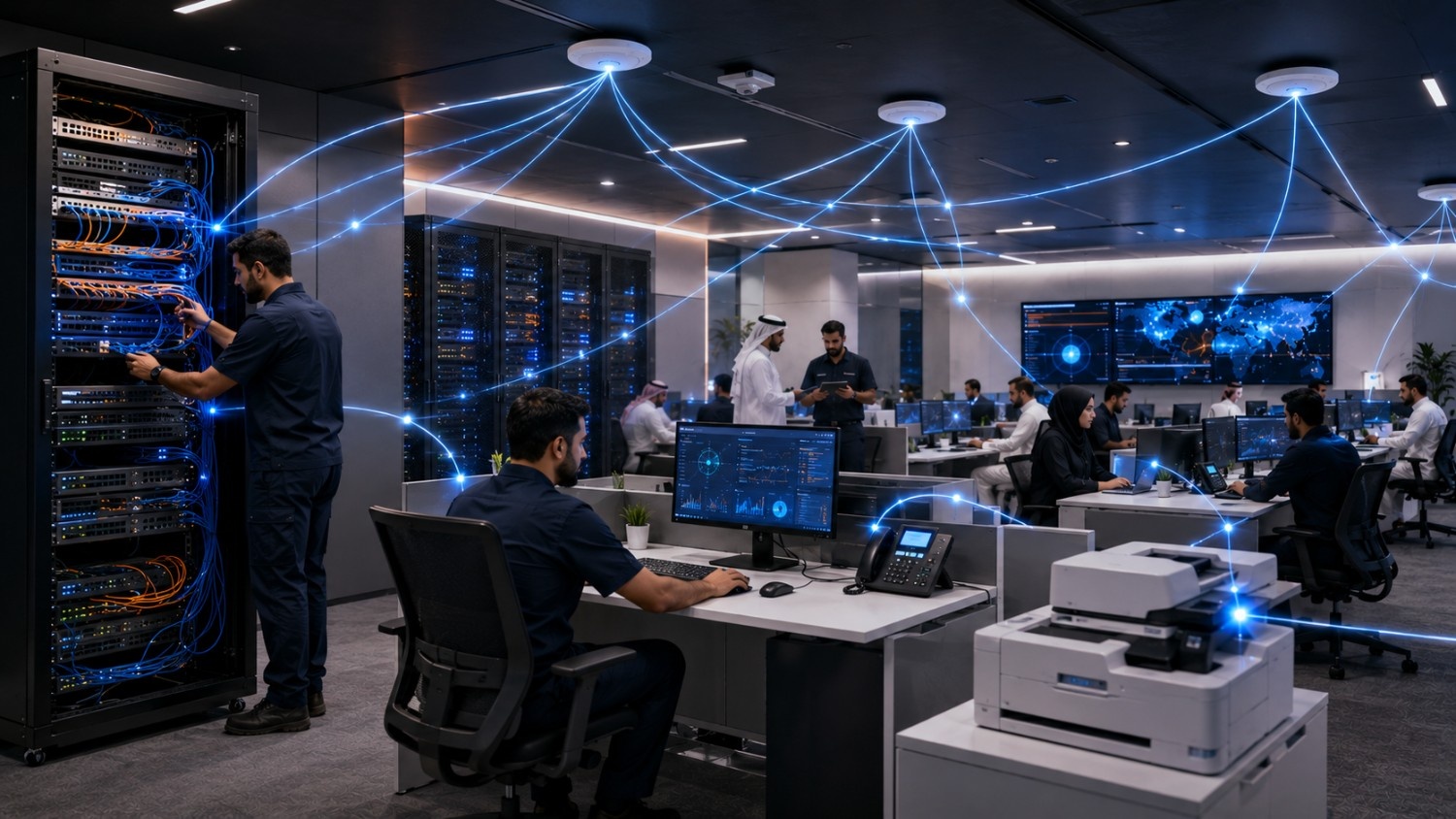
A typical office network may include:
- Routers
- Network switches
- Wireless access points
- Structured cabling
- Firewalls
- Network cabinets
- Servers and storage
- VPN and remote-access solutions
- Network monitoring
- Security systems
The exact configuration depends on the size of the business, number of employees, office layout, applications, security requirements, and future growth plans.
1. Business Router
The router is one of the central components of an office network.
It connects the internal business network to external networks, including the internet, and manages how data moves between different networks.
For a small office, a basic business router may be sufficient. Larger organizations may require enterprise-grade routers capable of supporting higher traffic volumes, multiple connections, advanced security features, and multiple locations.
A properly configured router can also support features such as VPN connectivity, traffic management, firewall integration, and network segmentation.
2. Network Switches
While routers connect different networks, network switches connect devices within the business network.
Computers, printers, IP phones, servers, access points, and other wired devices can connect to switches through Ethernet cabling.
For growing businesses, choosing the right switch is important because the number of ports, supported speeds, Power over Ethernet (PoE), management capabilities, and scalability can affect the overall network design.
Managed switches can also provide greater visibility and control over network traffic and connected devices.
3. Enterprise Wi-Fi and Wireless Access Points
Modern offices depend heavily on wireless connectivity.
Employees use Wi-Fi for laptops, smartphones, tablets, meeting-room devices, collaboration tools, and other connected equipment.
A single consumer-grade wireless router may not provide reliable coverage for a larger office.
Enterprise wireless access points can be strategically positioned throughout the workplace to provide better coverage, capacity, and management.
Businesses should consider office size, walls and building materials, number of users, device density, interference, and application requirements when designing Wi-Fi coverage.
4. Structured Network Cabling
Wireless technology is important, but the physical network remains a critical part of business infrastructure.
Structured cabling provides the wired foundation connecting computers, switches, access points, IP phones, servers, and other network devices.
Poor-quality, damaged, poorly terminated, or disorganized cables can cause connectivity issues and complicate troubleshooting.
A professionally designed cabling system should be organized, labelled, documented, and planned for future expansion.
FAMA Technologies includes Data Cabling & Network Cabinets within its Office Bridge IT infrastructure offering, supporting businesses that require an organized physical network foundation.
5. Firewall and Network Security
Connectivity without security can expose a business to unnecessary risks.
A business firewall helps control traffic entering and leaving the network according to defined security policies.
Modern network security may also include:
- Intrusion prevention systems
- VPN security
- Endpoint protection
- Router security
- Email and web security
- Network access controls
- Network segmentation
Security should be considered during the initial network design rather than added as an afterthought.
FAMA Technologies’ Office Bridge includes Network Infrastructure & Security, with capabilities covering Security Driven Networking, Dynamic Cloud Security, AI Driven Security Operation, firewalls, intrusion prevention, endpoint protection, and switch security with VPN.
6. Network Cabinet and Patch Panel
A professional office network should not depend on a collection of loose cables and randomly placed devices.
Network cabinets provide a centralized and organized location for equipment such as:
- Network switches
- Patch panels
- Routers
- Firewalls
- Power equipment
- Cable management systems
An organized network cabinet makes maintenance, troubleshooting, upgrades, and future expansion easier.
Proper cable management also helps IT teams quickly identify connections and reduce the risk of accidental disconnections.
7. Servers and Storage
Not every business needs an on-premises server, but organizations that manage local applications, files, databases, virtualization environments, backups, or specialized systems may require server and storage infrastructure.
Depending on business requirements, organizations can use tower, rack, or blade servers along with different storage architectures.
FAMA Technologies provides Server & Storage solutions through Office Bridge, including tower, rack, and blade server options and virtualization solutions designed to support business continuity and reduce downtime.
Businesses should determine whether their requirements are best served by on-premises infrastructure, cloud services, or a hybrid environment.
8. VPN and Secure Remote Access
Modern businesses increasingly have employees working from different locations.
A VPN can provide an encrypted connection for authorized users who need secure access to business resources from outside the office.
Remote access should be designed carefully, with appropriate authentication, access controls, endpoint security, and monitoring.
The goal is to provide employees with the connectivity they need without unnecessarily exposing internal business systems.
9. Network Monitoring and Management
Installing network equipment is only part of building a reliable business network.
IT teams also need visibility into how the network is performing.
Network monitoring can help identify:
- Bandwidth utilization
- Device failures
- Network congestion
- Connectivity issues
- Unusual traffic
- Performance bottlenecks
- Access-point problems
Monitoring allows organizations to identify potential problems before they become major business disruptions.
For larger organizations, centralized network management can also make it easier to manage multiple switches, routers, access points, branches, and other infrastructure components.
10. Backup and Business Continuity
A network setup should also consider what happens when something goes wrong.
Hardware failure, cyber incidents, power interruptions, configuration errors, or other disruptions can affect business operations.
Businesses should therefore consider appropriate backup, redundancy, disaster recovery, and business continuity measures.
Cloud infrastructure can also complement traditional office networks. FAMA Technologies provides cloud solutions covering cloud security, disaster recovery, cloud infrastructure, computing services, and related cloud capabilities.
How to Build the Right Business Network
There is no single network design that works for every organization.
Before purchasing equipment, businesses should evaluate:
- Number of employees
- Number of connected devices
- Office size and layout
- Wired and wireless requirements
- Internet bandwidth
- Cloud applications
- Server and storage requirements
- Security requirements
- Remote-access needs
- Expected business growth
A network designed only for today’s requirements may become a limitation as the company grows.
A scalable business network infrastructure should therefore provide enough capacity for future users, devices, applications, and locations.
Why Professional Network Design Matters
A business network is more than a collection of routers, switches, and cables.
Poor network planning can result in dead zones, congestion, security gaps, difficult troubleshooting, and unnecessary replacement costs.
Professional network design considers the entire environment—from structured cabling and network cabinets to switches, wireless access points, security, servers, cloud connectivity, and monitoring.
FAMA Technologies’ Office Bridge takes this integrated approach by combining network infrastructure and security with cloud, server and storage, data cabling and network cabinets, IPT, meeting room solutions, and other office technology requirements.
Build a Reliable and Scalable Office Network
A successful business network setup should provide more than internet access. It should create a reliable digital foundation that supports employees, applications, communication, cloud services, security systems, and future business growth.
The essential components include routers, switches, enterprise Wi-Fi, structured cabling, firewalls, network cabinets, servers and storage, secure remote access, monitoring, and appropriate backup and business continuity measures.
The right combination depends on your organization’s size, applications, users, security requirements, and growth plans.
For businesses looking to design, upgrade, or manage their office network infrastructure, FAMA Technologies provides integrated IT infrastructure and security capabilities through Office Bridge, helping organizations build connected, secure, and scalable workplaces.