Introduction
Modern businesses increasingly rely on hybrid meetings to connect employees, clients, partners, and remote teams. However, a successful video meeting requires more than a laptop and an internet connection. Poor audio, limited camera angles, complicated equipment, and time-consuming setup can make even a short meeting frustrating.
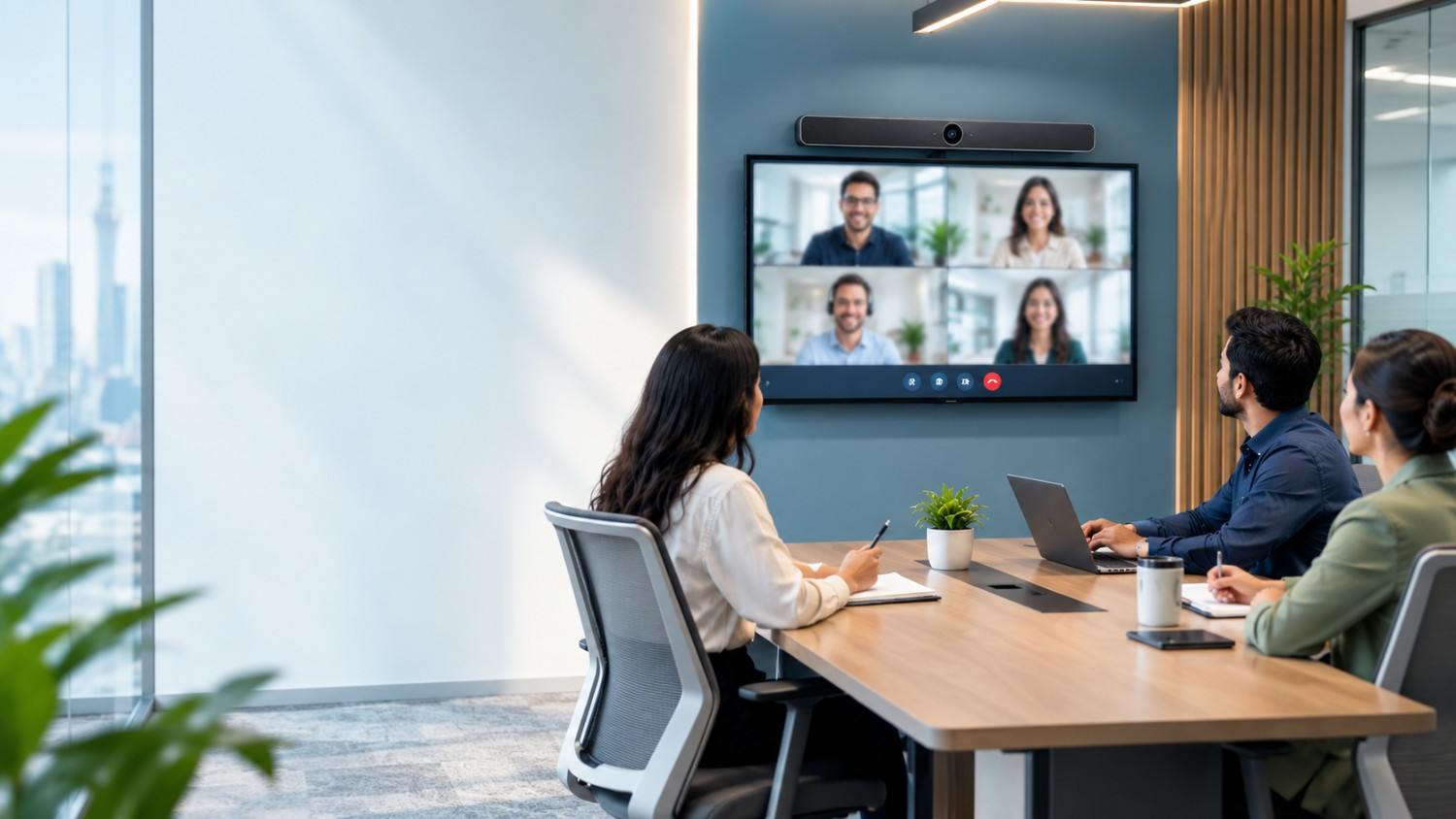
This is where an all-in-one video bar becomes valuable. Designed to simplify meeting room technology, a video bar combines essential conferencing hardware into one compact device. It can deliver high-quality video, clear audio, intelligent camera functions, and convenient connectivity without requiring multiple separate components.
For organizations designing efficient collaboration spaces, solutions from FAMA Technologies can help create practical meeting room environments tailored to different room sizes and conferencing requirements.
What Is an All-in-One Video Bar?
An all-in-one video bar is a compact video conferencing device that integrates several essential components into a single unit. Depending on the model, it typically combines:
- Camera: Captures participants in high-definition video.
- Microphones: Pick up voices from people in the room.
- Speakers: Deliver meeting audio clearly.
- AI-powered features: Support functions such as auto-framing, speaker tracking, and intelligent noise reduction.
- Connectivity: Enables integration with meeting platforms and room displays.
Instead of installing a separate webcam, microphone system, and speaker, organizations can use one video conferencing bar to create a more organized meeting setup.
This makes video bars particularly useful for huddle rooms, small meeting rooms, executive offices, and flexible collaboration spaces.
Key Features to Look for in a Meeting Room Video Bar
Not every video bar offers the same performance. When selecting a meeting room video bar, businesses should evaluate the following features.
1. Auto-Framing and Intelligent Camera Features
Auto-framing uses camera intelligence to detect participants and adjust the framing automatically. This helps keep everyone visible, even when people move or join the meeting at different times.
Some advanced devices may also offer speaker tracking, group framing, or intelligent participant detection. These features reduce the need for someone to manually adjust the camera during a meeting.
For small rooms where participants sit relatively close to the display, auto-framing can make meetings feel more natural and professional.
2. Wide Field of View
A wide field of view is important for ensuring that all participants can be seen without requiring them to sit directly in front of the camera.
When evaluating a video bar for a conference room, consider:
- The number of people the room accommodates
- The distance between the camera and the seating area
- The room’s layout
- Whether participants sit around a table or along a wall
A wider field of view can be particularly useful in huddle rooms and compact meeting spaces where camera placement options may be limited.
3. Microphone Pickup and Voice Clarity
Clear audio is one of the most important aspects of video conferencing. Even an excellent camera cannot compensate for voices that are difficult to hear.
Look for a video bar with microphones designed to capture speech across the room. Microphone performance depends on factors such as pickup range, microphone placement, room acoustics, and the number of participants.
For larger spaces or rooms with unusual layouts, additional microphones may still be necessary. However, an integrated microphone array can be highly effective for many small-room applications.
4. Speaker Quality
The integrated speakers should deliver voices clearly and at a comfortable volume. Poor speakers can cause participants to miss important details, especially during presentations or discussions involving multiple remote attendees.
When comparing an all-in-one video conferencing system, consider:
- Voice clarity
- Volume output
- Distortion at higher volumes
- Audio coverage for the intended room size
- Compatibility with external audio devices, if expansion is needed
The goal is not simply loud audio but intelligible, balanced sound that supports productive conversations.
5. Noise Cancellation and Echo Cancellation
Meeting rooms often contain unwanted sounds, including keyboard typing, air conditioning, hallway activity, and chair movement. Advanced video bars may use AI-powered audio processing to reduce background noise and improve voice clarity.
Noise cancellation helps minimize distracting ambient sounds, while echo cancellation prevents meeting participants from hearing their own voices played back through the room’s speakers.
These features are especially useful in hybrid meetings, where audio problems can disrupt communication between people in the room and remote participants.
6. Plug-and-Play Setup
A major advantage of a video conferencing bar is simplified installation. Many models are designed to connect to a display, computer, or room system with minimal configuration.
A plug-and-play setup can help businesses:
- Reduce installation complexity
- Minimize cable clutter
- Save time when starting meetings
- Make rooms easier for employees to use
- Simplify troubleshooting and maintenance
However, businesses should still verify the device’s power, mounting, network, display, and platform requirements before installation.
Compatibility with Microsoft Teams, Zoom, and Google Meet
A video bar is only useful if it works smoothly with the platforms an organization uses. Before purchasing, confirm compatibility with popular conferencing applications such as:
- Microsoft Teams
- Zoom
- Google Meet
Compatibility can vary depending on whether the device is connected to a computer, used with a dedicated room system, or certified for a particular platform.
Businesses should also check whether the video bar supports USB connectivity, Bluetooth, HDMI, wireless presentation, or other required connection methods.
For organizations standardizing meeting rooms across multiple departments, platform compatibility is especially important for ensuring a consistent user experience.
Why Use Video Bars in Small and Huddle Rooms?
Small and huddle rooms are designed for quick discussions, team collaboration, interviews, and hybrid meetings involving a limited number of participants.
An all-in-one video bar is often a practical fit because it offers:
Space efficiency: A single device takes up less room than separate camera, microphone, and speaker components.
Simplified installation: Fewer devices can mean fewer cables and less complicated configuration.
Consistent experience: Employees can use the same straightforward setup for recurring meetings.
Professional communication: Integrated video and audio features help improve the quality of remote interactions.
Scalability: Businesses can deploy similar solutions across multiple small meeting spaces.
FAMA Technologies’ meeting room solutions include options designed for small-room environments, incorporating all-in-one video bars, AI-powered microphones, HD cameras, and touch controls to support efficient and user-friendly collaboration.
How to Choose the Right Smart Video Bar for Meeting Rooms
Before selecting a smart video bar for meeting rooms, consider these practical questions:
- What is the room size? Choose a device designed for the number of people and seating arrangement.
- What platforms does your organization use? Verify compatibility with Teams, Zoom, Google Meet, or other required platforms.
- How important is AI functionality? Determine whether auto-framing, speaker tracking, and noise reduction are necessary.
- What audio coverage is required? Check microphone pickup and speaker performance for the room.
- How will the device connect? Confirm compatibility with displays, computers, room controllers, and network infrastructure.
- Will the room need future expansion? Consider support for additional microphones, speakers, or peripherals.
- Who will install and manage it? Choose a solution that aligns with your organisation’s technical capabilities and support requirements.
Conclusion
An all-in-one video bar brings cameras, microphones, speakers, intelligent audio and video features, and connectivity into a compact conferencing solution. For small and huddle rooms, it can simplify installation, reduce equipment clutter, and create a more consistent hybrid meeting experience.
The right choice depends on room size, platform compatibility, audio requirements, AI capabilities, and future scalability. By evaluating these factors carefully, businesses can build meeting spaces that support clearer communication and more efficient collaboration.
With its meeting room technology portfolio, FAMA Technologies can help organizations explore conferencing solutions suited to their workplace requirements, from compact huddle rooms to more advanced collaboration environments.