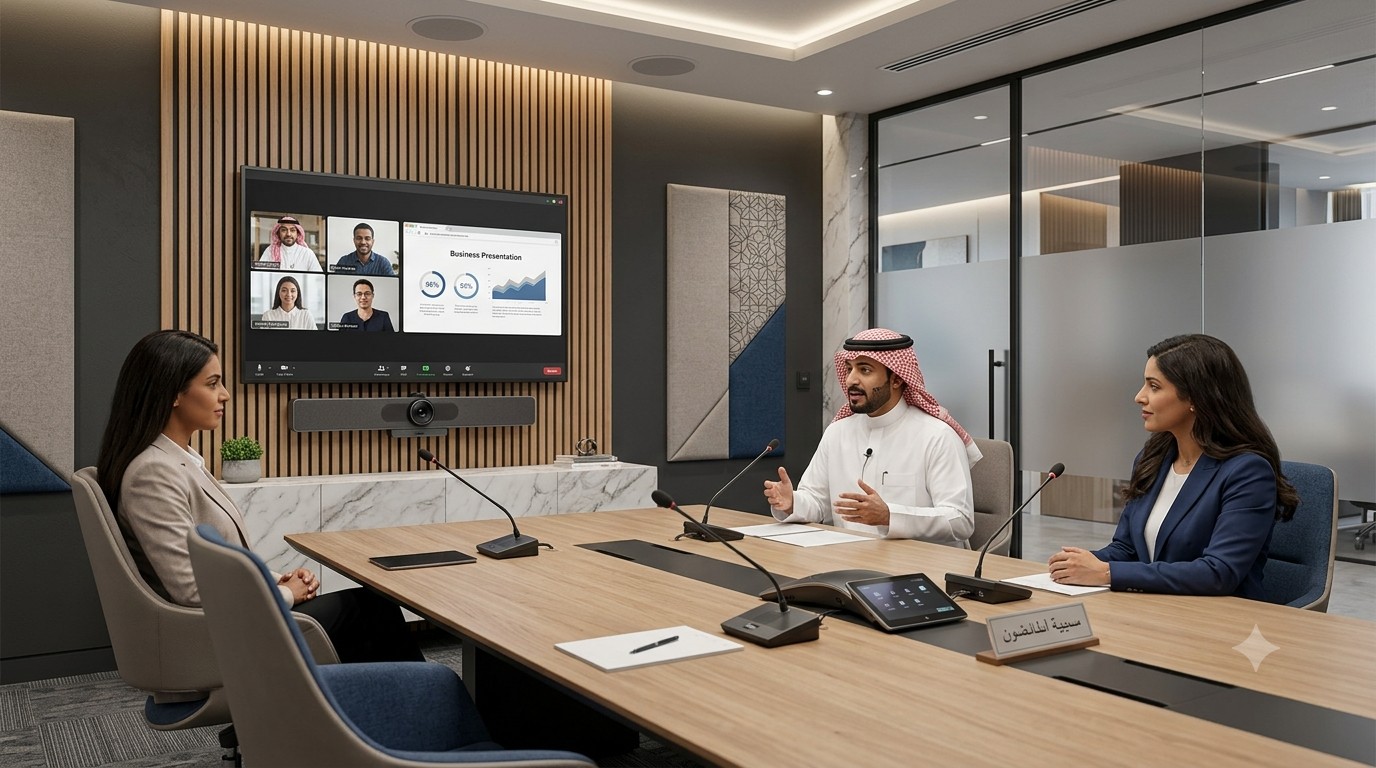
Introduction
Clear audio is one of the most important parts of a successful business meeting. A presentation may have excellent visuals, but if participants cannot hear the speaker clearly, the meeting quickly becomes frustrating and unproductive.
Problems such as echo, background noise, low microphone volume, muffled voices, audio dropouts, and uneven speaker coverage are common in meeting rooms. These problems can become even more noticeable during hybrid meetings because remote participants depend entirely on the room’s microphones and speakers to communicate.
Fortunately, poor meeting room audio can often be improved by addressing the room acoustics, microphone placement, speaker positioning, audio processing, network connectivity, and equipment configuration.
For businesses planning or upgrading a professional meeting space, FAMA Technologies provides integrated meeting room solutions designed around room size, participant requirements, audio-visual needs, and collaboration workflows. FAMA’s solutions include technologies such as sensitive microphones, room-filling sound, microphone arrays, ceiling speakers, video conferencing systems, and integrated AV.
What Causes Poor Audio Quality in Meeting Rooms?
Before replacing equipment, it is important to identify the actual cause of the problem.
Poor meeting room audio can result from several factors, including:
- Microphones positioned too far from participants
- Incorrect microphone placement
- Too few microphones for the room
- Poor speaker positioning
- Echo and reverberation
- Glass walls and other hard reflective surfaces
- HVAC and background equipment noise
- Incorrect audio levels
- Acoustic echo
- Poorly configured audio processing
- Network or connectivity problems
A room with expensive microphones can still deliver poor audio if the acoustics and equipment placement are not properly designed. Room size, layout, materials, and furniture all influence how sound behaves inside a meeting room.
1. Identify Whether the Problem Is Echo, Noise, or Low Volume
The first step is to identify what participants are actually experiencing.
If remote participants hear their own voice coming back, the problem may involve acoustic echo or incorrect microphone and speaker configuration.
If voices sound distant or muffled, microphone coverage or placement may be the issue.
If participants hear air-conditioning, traffic, keyboard sounds, or conversations outside the room, background noise may be reducing speech intelligibility.
If sound is loud in one part of the room but difficult to hear at another, speaker placement and coverage should be investigated.
Correctly identifying the problem prevents businesses from replacing equipment unnecessarily.
2. Improve Microphone Placement
The microphone is one of the most important components of a meeting room audio system.
A microphone cannot magically separate a distant voice from every other sound in the room. The further the microphone is from the speaker, the more room noise and reverberation can affect the captured audio.
For better audio quality:
- Position microphones appropriately for participant locations.
- Avoid placing microphones where they are blocked by objects.
- Ensure important seating areas have adequate microphone coverage.
- Use microphone arrays where appropriate for larger spaces.
- Test different seating positions before finalizing installation.
Professional microphone arrays can provide broader and more consistent voice coverage than relying on a single microphone in a large room.
FAMA’s medium-room solutions, for example, include an expansive microphone array, crystal-clear voice clarity, and enhanced participant audibility.
3. Use the Right Number of Microphones
Using one microphone for an entire conference room may seem cost-effective, but it can create coverage problems.
Participants sitting farther away may sound quieter or less intelligible, while people sitting close to the microphone may dominate the audio.
The number and type of microphones should be determined by:
- Room dimensions
- Number of participants
- Table configuration
- Typical seating positions
- Microphone pickup pattern
- Whether participants move around the room
- Video conferencing requirements
Professional audio design should focus on consistent coverage rather than simply installing the most powerful microphone available.
4. Add Acoustic Treatment to the Room
Room acoustics can have a major impact on meeting audio.
Large glass walls, hard floors, bare walls, stone surfaces, metal tables, and other reflective materials can cause sound to bounce around the room. This creates echo and reverberation, making speech more difficult to understand.
Acoustic panels, curtains, carpets, soft furniture, acoustic ceilings, and other sound-absorbing materials can help reduce unwanted reflections.
This is particularly important for modern corporate offices where glass and hard architectural surfaces are frequently used for aesthetic reasons.
The goal is not to make the room completely silent. The objective is to create an acoustic environment where speech remains clear and understandable.
5. Check Speaker Placement
Good microphones alone cannot solve poor meeting room audio.
Speakers should be positioned so that sound reaches participants evenly without creating excessive volume in one area and weak audio in another.
Poor speaker placement can result in:
- Uneven volume
- Muffled speech
- Excessive reverberation
- Feedback
- Increased echo problems
Ceiling speakers, wall-mounted speakers, soundbars, or distributed speaker systems can be selected according to room size and design.
Professional speaker placement should consider room dimensions, ceiling height, seating positions, speaker dispersion, and expected listening areas.
6. Use Acoustic Echo Cancellation
Acoustic Echo Cancellation (AEC) is an important technology in modern video conferencing systems.
During a hybrid meeting, remote participants’ voices are played through the room speakers. The microphones may then pick up that same audio and send it back to the remote participants, creating an annoying echo.
AEC helps identify the far-end audio signal and prevents the microphone from sending that signal back into the conference.
However, AEC works best when the overall audio system is correctly designed. Speaker volume, microphone placement, room acoustics, and signal processing all need to work together.
7. Reduce Background Noise
Background noise can significantly reduce speech intelligibility.
Common sources include:
- Air-conditioning systems
- HVAC equipment
- Computer fans
- Projectors
- Corridor activity
- Traffic
- Office conversations
- Doors opening and closing
- Mechanical equipment
If background noise is too high compared with the speaker’s voice, remote participants can struggle to understand the conversation.
Businesses can reduce these problems by improving room isolation, positioning microphones closer to participants, treating reflective surfaces, and addressing noisy equipment.
For example, moving a microphone closer to the speaker can improve the speech-to-noise ratio without simply increasing microphone gain.
8. Check Audio Levels and Processing
Sometimes the hardware is not the problem.
Incorrect audio settings can cause:
- Very low microphone volume
- Distorted speech
- Excessive speaker volume
- Feedback
- Sudden volume changes
- Audio clipping
Check microphone gain, speaker levels, equalization, automatic gain control, noise suppression, echo cancellation, and other available DSP settings.
Professional AV integration is particularly useful here because audio processing can be configured according to the room and equipment rather than relying only on default settings.
9. Test Every Seat in the Meeting Room
A meeting room should not be tested from only one chair.
Sit in different positions and evaluate:
- Can the microphone clearly capture the speaker?
- Can the participant hear remote attendees?
- Is the audio consistent across the room?
- Are there areas with excessive echo?
- Is background noise noticeable?
- Can remote participants understand everyone?
Testing different seating positions can reveal audio dead zones that may not be obvious from the center of the room. Professional room designs can use coverage testing to identify areas where microphone pickup or speaker coverage needs improvement.
10. Consider the Complete Meeting Room Audio Ecosystem
One of the biggest mistakes businesses make is treating meeting room audio as a single-device problem.
A successful audio environment requires multiple components to work together:
Microphones → Audio processing → Video conferencing platform → Speakers → Room acoustics
If one part is poorly designed, it can affect the complete meeting experience.
This is why businesses should consider an integrated meeting room solution rather than simply purchasing microphones and speakers separately.
How FAMA Technologies Can Help Improve Meeting Room Audio
FAMA Technologies provides customized meeting room solutions for small, medium, and large meeting spaces.
Its current meeting room portfolio includes solutions featuring AI-powered meeting controls, HD video, room-filling sound, high-performance technology, microphone arrays, ceiling speakers, microphones, smart boards, video controllers, and integrated AV systems.
For medium meeting rooms, FAMA highlights crystal-clear voice clarity, expansive microphone arrays, auto-framing, and improved participant audibility. For larger rooms, its solutions can include ceiling speakers, microphones, smart boards, video controllers, and other integrated AV components.
FAMA’s wider infrastructure offering also includes meeting room solutions integrating digital displays, wireless presentation, video conferencing, and room scheduling systems.
This integrated approach helps businesses address audio, video, collaboration, and room-control requirements together rather than treating them as separate systems.
A Simple Checklist for Better Meeting Room Audio
Before upgrading your meeting room, check the following:
- Is the microphone close enough to participants?
- Does every seating area have adequate microphone coverage?
- Are there hard surfaces creating excessive reflections?
- Is there background noise from HVAC or nearby offices?
- Are speakers positioned for even room coverage?
- Is acoustic echo cancellation configured correctly?
- Are microphone and speaker levels properly calibrated?
- Have you tested every seat in the room?
- Are the audio, video, and conferencing systems properly integrated?
Addressing these areas can significantly improve the meeting experience.
Conclusion
Poor audio quality can turn an otherwise professional meeting room into a frustrating communication environment. Echo, background noise, distant voices, uneven speaker coverage, and poor acoustics can all make business conversations harder to follow.
The solution is not always to purchase more expensive equipment. Proper microphone placement, acoustic treatment, speaker positioning, echo cancellation, noise reduction, audio configuration, and professional testing are equally important.
For businesses upgrading their meeting spaces, an integrated meeting room solution can provide a more reliable approach.
FAMA Technologies helps businesses design meeting room environments around their specific room size, participant requirements, collaboration needs, and AV infrastructure. With the right combination of microphones, speakers, video conferencing, acoustic considerations, and room technology, businesses can create meeting spaces where every participant can hear and be heard clearly.